
For medical, dental and allied health practices
Medical Clinic Phone System & AI Answering — Handle More Calls, Reduce Patient Wait Times
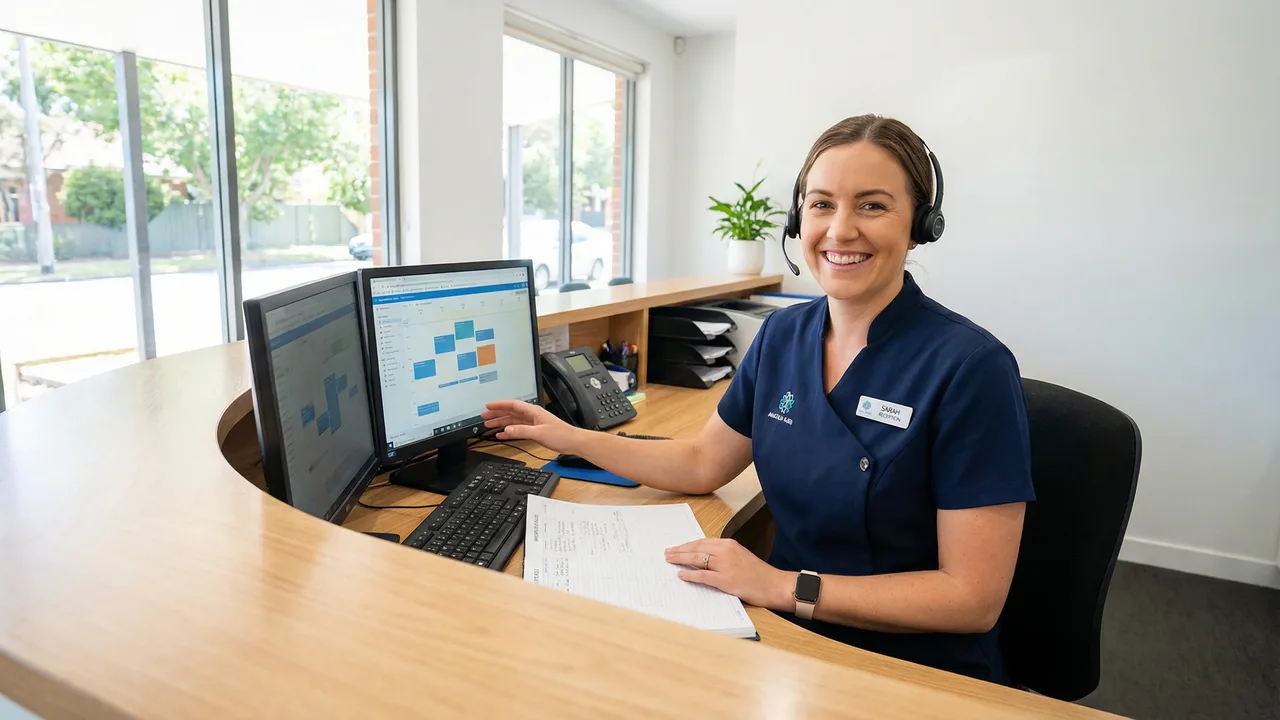
A clinic's phones peak at the exact moment reception is busiest: 8:30 on a Monday, with the waiting room filling up. Click2Call holds callers in an orderly queue and tells them where they stand, takes messages when every line is busy, and sends after-hours calls where they need to go.
Try it free for 7 days with $11 of call credit. No card required.
Key Takeaways
- ✓A queue instead of an engaged tone. Callers hear your music and messages and are told their place in line while reception works through the calls.
- ✓No clinical advice from AI. The AI tools take messages and route calls. Your greeting can tell anyone with an emergency to hang up and call 000 before anything else plays.
- ✓After hours, handled automatically. At closing time calls switch to your deputising service, an on-call number or a message, and public holidays can be set in advance.
- ✓Recordings stay onshore. Call recordings and transcripts are stored in Australia and New Zealand.
- ✓Priced per user. $25 a month ex GST for each staff member who takes calls, $10 for a receive-only number, and no lock-in contract.
What happens at 8:30 on a Monday
Every practice knows the pattern. The doors open, the first patients arrive, and the phones light up with people wanting a same-day appointment, a repeat script, test results or a referral. Each receptionist can only take one call at a time, and anyone who rings during the rush hears an engaged tone or a phone that rings out.
Callers who get an engaged tone don't stop needing you. They redial, again and again, which stretches the rush out and frays tempers at the front desk. Some give up and book somewhere else.
A call queue changes that experience. Instead of an engaged tone, callers are answered by the system, hear your hold music and announcements, and are told where they are in the line. When a receptionist frees up, the caller who has waited longest is put through first.
- ✓Announcements while patients wait, for example how to request repeat scripts online if your practice offers that
- ✓Position in the queue, so callers know they're getting closer
- ✓A schedule, so the queue only runs during opening hours
- ✓The live Call Dashboard shows how many people are waiting, so the practice manager can pull another person onto the phones
The dashboard also counts the day's missed calls. Many practices have never measured that figure, and it's often the most revealing number in the building.
Set up the phones the way your front desk actually works
No two practices answer the phone the same way, so the system is made of simple building blocks that you arrange yourself, or that we arrange for you.
Ring groups
Every reception phone rings together and whoever is free picks up. Ideal for a small front desk.
Hunt groups
Calls try one person, then the next, in the order you set, so your most experienced receptionist gets first go.
Call queues
When everyone is busy, callers wait in line with music and announcements rather than hearing an engaged tone.
Direct lines
The practice manager, nurses or billing can have their own numbers, so not every call has to go through the front desk.
Extensions for consult rooms
Doctors and nurses transfer calls by extension number, from a desk phone or a softphone on the consult-room computer.
Missed-call alerts
Any call that rings out sends an email or SMS to whoever handles callbacks that day.
Start every call with the emergency message
A clinic line will sometimes be rung by someone who needs an ambulance, not an appointment. The first thing callers hear should tell them what to do: if this is a medical emergency, hang up and call triple zero (000).
With Click2Call you record that message once, or type it and let AI Speech read it in a natural voice, and it plays at the top of your greeting before any menu, queue or message option.
It's also why we're precise about what the AI tools do. The Answer Agent takes a message: it asks for the caller's name, number and reason for calling, waits for each answer, and emails the details with a transcript. The AI Receptionist routes calls when callers say who or what they need, such as 'appointments' or 'billing'. Neither one gives medical advice, assesses symptoms or decides how urgent a call is. That judgement stays with your clinical team.
Use the AI tools to stop calls going unanswered, not to make clinical decisions. Callbacks about symptoms, results or medication should always come from your staff.
After hours, weekends and public holidays
Each number on your account can follow business hours. When the practice closes, calls switch automatically to whatever you've set for after hours, and they switch back in the morning without anyone touching a button.
Common after-hours setups for clinics:
- ✓Forward calls to your medical deputising service or after-hours GP service, using the number they give you
- ✓Send calls to the on-call doctor's mobile, if your practice runs its own roster
- ✓Play a message with your opening hours and after-hours options, then offer the Answer Agent for non-urgent messages
Public holidays are blocked out by date ahead of time, so Christmas, Easter and the Anzac Day long weekend don't need a manual change the night before.
If the clinic loses internet or power during the day, Forward when Offline sends calls to a mobile or another site. That works because the phone system runs in the cloud rather than in a box in your comms cupboard.
Recording, privacy and where your data is kept
Patients share sensitive information over the phone, so where call data lives matters. Click2Call stores call recordings, transcripts and call records in Australia and New Zealand.
Recording is off until you switch it on, and it's set per number or extension. That lets you record the main reception line, for training and resolving complaints, while leaving a doctor's direct line unrecorded. Where you do record, a notice can play to the caller first.
Portal access is controlled with individual logins, and two-factor login emails staff a one-time code when they sign in. Access to recordings can be restricted for individual logins too, so a receptionist can handle calls without being able to play back recorded calls. Give each person the access they need and no more.
Recording and privacy obligations vary between states and depend on your practice's own policies. Tell callers when calls are recorded, and make sure your privacy policy explains how recordings are used and stored.
Texts, recalls and fax
With an Australian mobile number on the clinic's account, you can send and receive SMS from the portal, by email, or from your own software through the API. That suits appointment reminders and recall notices. Texts are 20c each; replies appear in the portal and are emailed to an inbox you choose. One text holds 160 characters, so keep reminders short.
Plenty of referrals still arrive by fax. Faxmail replaces the fax machine: faxes sent to your fax number arrive as email attachments, and you send one by emailing a document. A fax number is $10 a month, like any other line, and your existing fax number can be ported across.
There's no ready-made connection to practice management software. If you want call events in another system, the API and webhooks make it possible, but someone, typically your IT provider, needs to build the link.
Dental and allied health practices
Dental practices get a sharper version of the morning rush: patients with toothache ring first thing hoping for an emergency slot. A queue keeps them on the line, and an option in your greeting can send dental emergencies straight to whoever manages the day's book.
Physiotherapists, psychologists, podiatrists and other allied health practitioners often work without a full-time receptionist. When you're with a client for 50 minutes, the phone can't be answered. The Answer Agent rings your phone first and, if you're in a session, takes a message with the caller's details and reason for calling, so you can ring back between appointments.
Practitioners who visit patients at home or work across several clinics can carry the practice number on their mobile with the Secure VoIP app, so outbound calls show the clinic rather than their personal phone.
Disability, NDIS and aged care providers
Care providers on Click2Call tend to run their phones like a small call centre. Many want a 1300 number so participants and families have one number to remember wherever they live, often alongside local numbers for the regions they serve, all ringing the same team.
Plenty of that team works offshore. Agents in the Philippines or elsewhere use the Click2Call app on a computer or mobile and take calls on their own extension as if they were in Australia, and their outbound calls show your Australian number. There are no location restrictions and no extra charge for working overseas: calls are charged by the number dialled, at the same rates as from Australia.
Voicemail to email, call recording and AI transcription are the features care providers use most. Recordings and transcripts are stored in Australia and New Zealand, Click2Call's AI runs in Australia, and access to recordings can be restricted to the staff who need it.
After hours, the common request is an AI agent that answers instead of voicemail. The Answer Agent takes the caller's name, number and reason and emails the details with a transcript; a conversational AI Agent can also answer simple questions about your service. Both are included at no extra cost, and plain voicemail to email is always there if it suits your callers better.
Calls into a 1300 number cost 20c a minute; calls into local numbers are included. See a worked example for a disability support provider, with the setup step by step and what it costs.
Clinics with more than one site
Group practices can keep each site's local number and add one number for the whole group. A menu or the AI Receptionist sends callers to the site they ask for, and an overflow rule can pass calls to another site's reception when the first is busy.
If you choose a 1300 number for the group, it costs $10 a month as a receive-only number, and incoming calls to it are charged at 20c a minute. Local numbers include unlimited incoming calls.
Every account starts with two call channels, meaning two calls at once, plus another channel for each user's number. A busy clinic can add more in the portal, so make sure your channel count keeps up with the number of people answering.
What a five-person front desk costs
An example for a single-site GP practice with three receptionists, a practice manager and a nurse on the phones.
| Item | Cost (ex GST) | Notes |
|---|---|---|
| 5 Cloud PBX users | $125 a month | Each with a number, 300 outbound minutes and call recording |
| Main clinic number, ported | $10 a month | Receive-only line for the number patients know |
| Porting the main number | $100 inc GST, once | 5–10 business days for a local number |
| Monthly total | $135 a month | Prepaid, no lock-in |
| Managed setup (optional) | $400, once | $300 for the first three users, then $50 each |
| Yealink desk phones (optional) | $450 each, once | Cordless handsets are $400 each |
Calls beyond the included minutes cost 10c a minute to landlines and 20c a minute to mobiles.
Managed setup usually takes 1–2 business days. Most businesses with five or more users or desk phones choose it, because the queue, schedules and phones arrive configured and tested.
Pricing for practices
Per-user pricing with nothing locked in. Add or remove users as your staff change.
Staff member (Cloud PBX User)
$25 /mo ex GST
- ✓A direct number for each staff member
- ✓300 outbound minutes a month
- ✓Unlimited inbound calls to local numbers
- ✓Call queues, ring groups and hunt groups
- ✓Recording with transcripts and summaries
- ✓Answer Agent and AI Receptionist included
Clinic number (Inbound)
$10 /mo ex GST
- ✓The number patients already know: local, 1300 or 1800
- ✓Receive-only: rings reception, a queue or after-hours
- ✓Also available as a Faxmail line
- ✓Incoming calls to 1300 and 1800 numbers cost 20c a minute
Prices are ex GST. Porting is $100 inc GST per number.
Medical clinic phone system FAQs
Guides for practices
Written by Royce Clark
Royce runs Click2Call from the Gold Coast and also runs bcom ICT, a business IT services company. He wrote this page to explain plainly what the phone system does for a practice, and what it deliberately doesn't do.
Last reviewed October 2026.
Hear what your Monday morning sounds like with a queue
Start the 7-day trial, put a queue on a test number and ring it from a few phones at once.