
Porting an Existing Number
Number porting allows you to transfer your existing phone number — including local geographic numbers and Australian mobile numbers — from your current provider to Click2Call. Your number stays the same; only the carrier changes.
Porting Your Number, Step by Step
Important Information Before You Start:
- Cost: Porting any number — landline, mobile, 1300 or 1800 — costs a flat $100 including GST.
- Mobile number porting: Click2Call can port most Australian mobile numbers. Eligibility depends on your current carrier — contact us to confirm before submitting a request.
- Timeframe: The process typically takes 5-10 business days, but can vary depending on your current provider.
- Required Document: You MUST supply a copy of your most recent phone bill for the number you wish to port. This is a legal requirement to prove ownership.
Navigate to the Number Porting Form
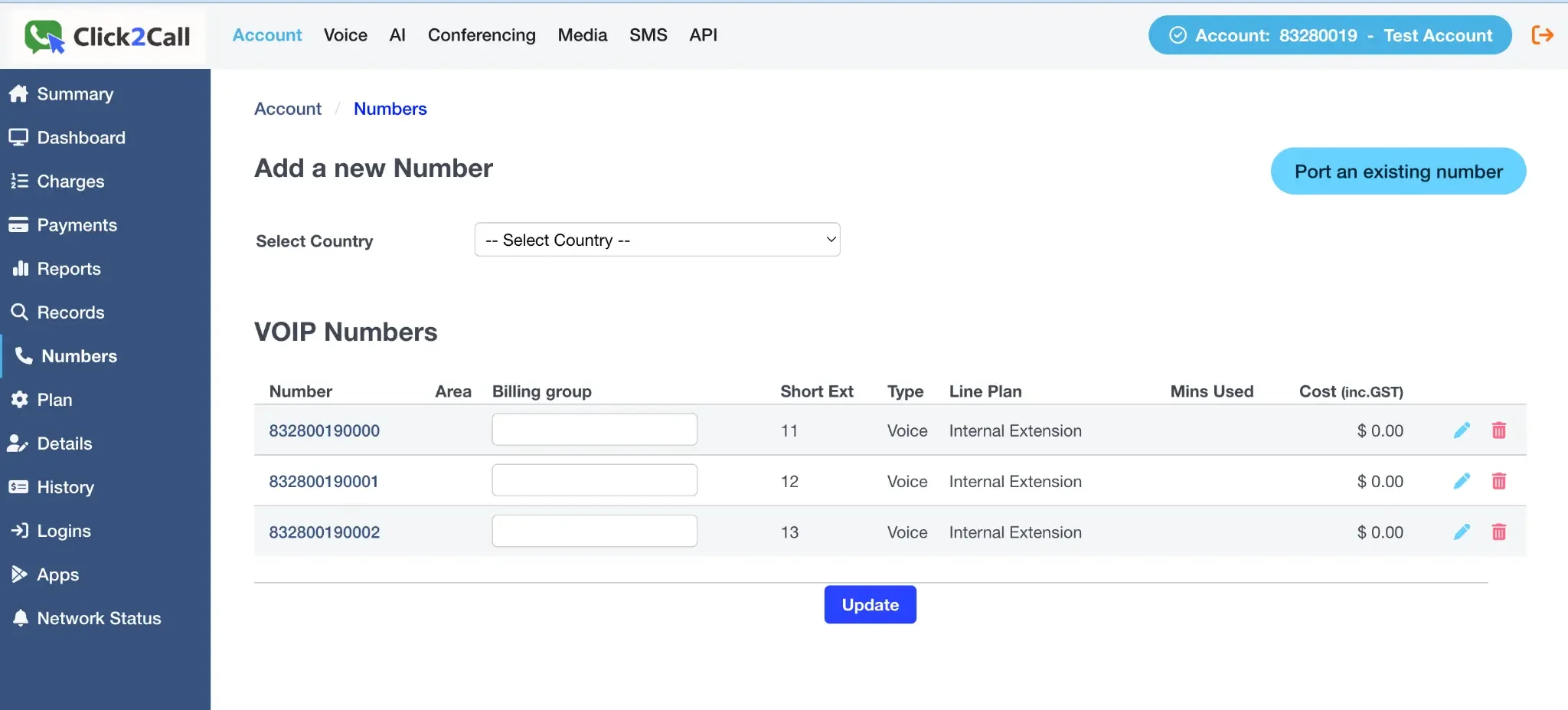
Log in to the portal, go to the Voice tab, and select Numbers from the left-hand menu. On the 'Add a new Number' page, click the Port an existing number button.
Submit Your Port Request Details
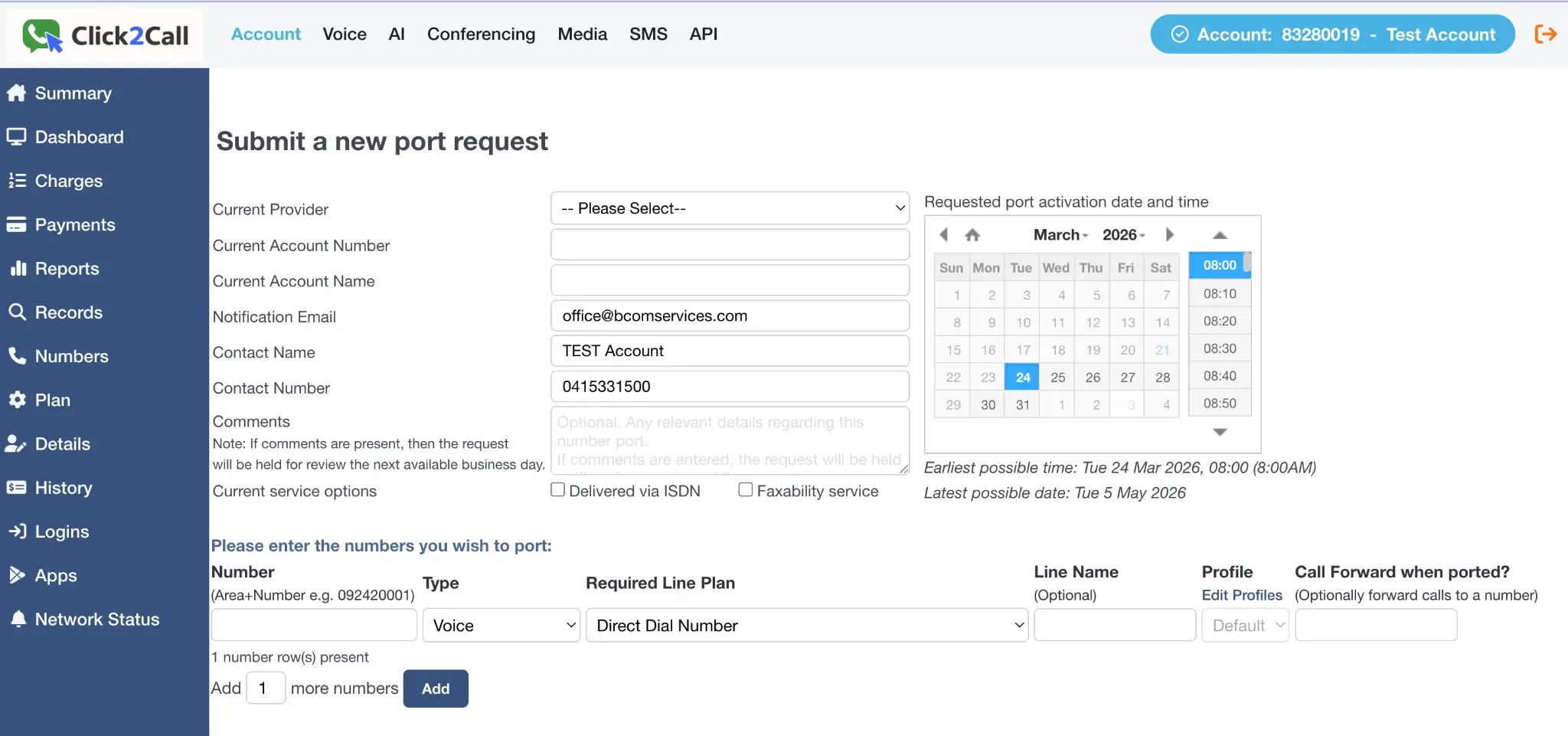
For an Australian number, tick This request is for International / Non New Zealand numbers and leave the Current Provider menu as it is. Then fill in your account details with your current provider and the port date you want. The details must exactly match the phone bill from your current provider.
Add the Numbers to Port
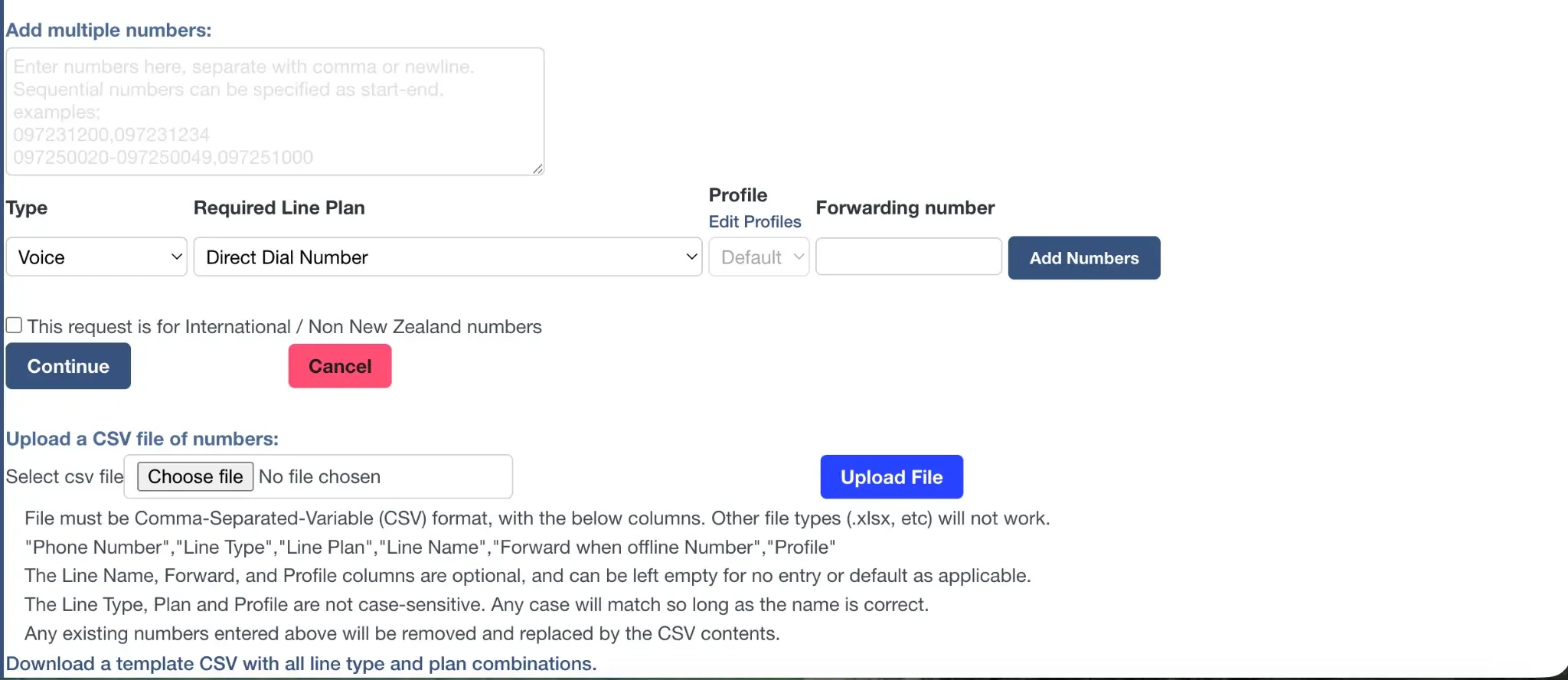
At the bottom of the form, enter the phone number(s) you wish to port. You can add multiple numbers one by one, enter a list of numbers, or upload a CSV file for bulk porting. Once you have added your numbers, click Continue to submit the request. Our team will then contact you to obtain a copy of your phone bill.
What happens after you submit?
- You will receive email notifications to keep you updated throughout the porting process.
- On the day of the port, your number will be pre-provisioned on your account. This gives you time to set up your call flow in advance, so the moment the number is ported it starts working on your call flow.
Still need help?
Our Australian support team is available to assist you.